MacPad V1 - Macro Keyboard
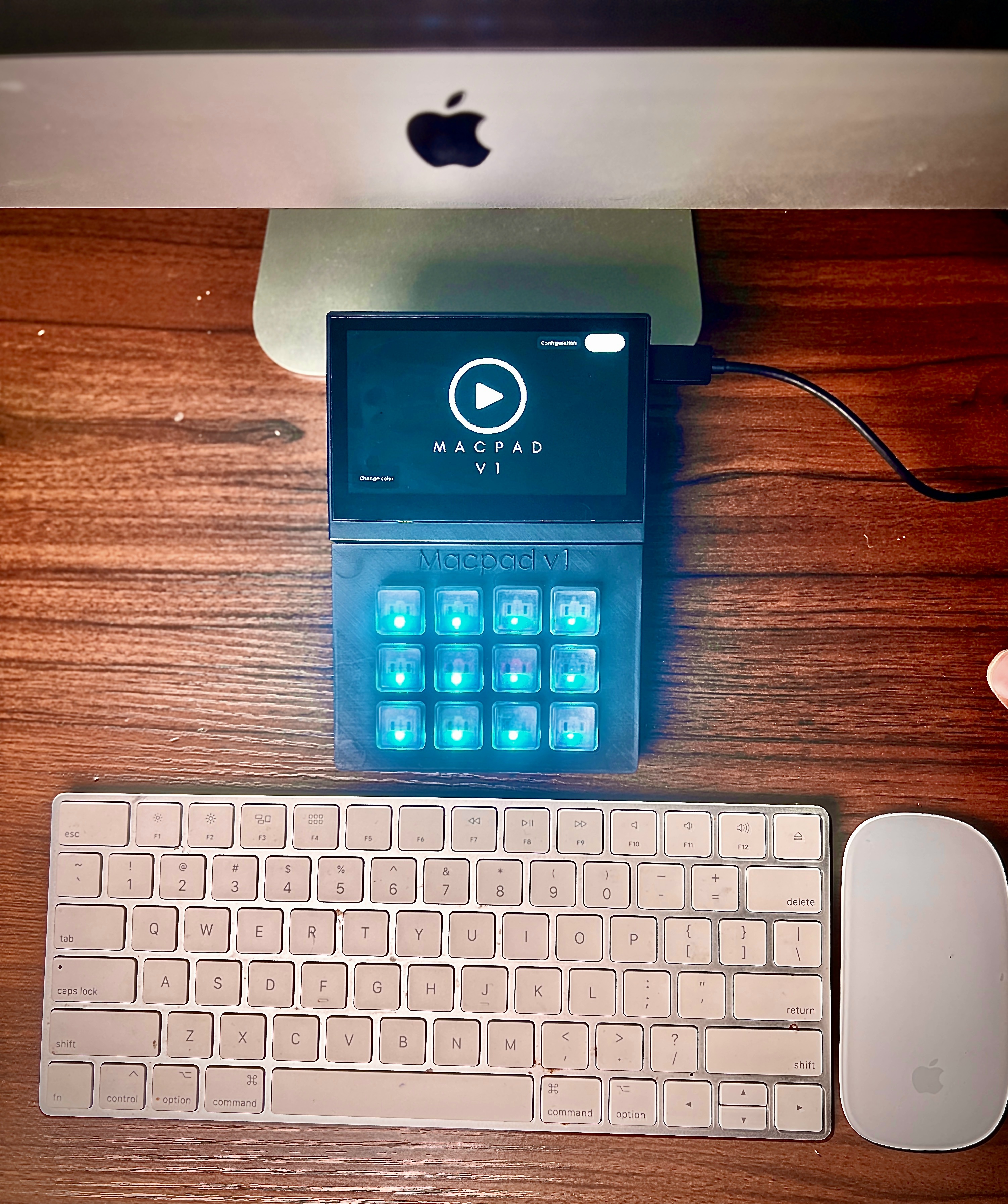
A custom 12-key macro keyboard with ESP32-S3, 4.3" 800x480 LVGL touchscreen, Cherry MX mechanical switches, addressable RGB LEDs, and a two-board master/slave architecture. USB HID keyboard emulation, WiFi AP with SD card file manager, Python macro configurator, and a 3D-printed SolidWorks enclosure. Two firmware branches - Arduino and ESP-IDF.
Technical Specs
Master/Slave Two-Board Architecture
MacPad uses a two-board design. The master board (ESP32-S3 with Waveshare 4.3" Touch LCD) handles the display, USB HID output, WiFi, and SD card storage. The slave board reads the 12 physical Cherry MX key switches and drives the individually addressable RGB LEDs. The boards communicate over Serial2 (GPIO 15/16 at 9600 baud) - the slave sends a single byte (1–12) when a key is pressed, and the master sends RGB color strings like "255,0,0\n" to change LED color. Connection detection uses GPIO 6 with an internal pull-up.
The CH422G I2C IO expander manages the peripheral control lines - touch reset, LCD backlight, LCD reset, SD card chip select, and USB select - freeing ESP32-S3 GPIOs for the 16-bit parallel LCD data bus that consumes 16 pins on its own.
LVGL Touchscreen UI
The GUI is built with LVGL v8.3 and designed in SquareLine Studio. Screen 1 shows the MacPad V1 splash with a play button. Screen 2 presents the 12 macro buttons in a grid - each with a configurable icon and label - plus swipe gesture navigation between screens. The display runs in anti-tearing mode 3 (double-buffer + LVGL direct mode) with RGB bounce buffers to prevent visual artifacts during fast UI updates on the 800x480 panel.
USB HID & Macro Engine
The keyboard enumerates as a standard USB HID device (Espressif VID 0x303A, PID 0x4004, boot protocol compatible). The ESP-IDF version includes a custom TinyUSB driver with full ASCII-to-HID keycode conversion (letters, digits, all symbols, shifted characters) and a clean API: usb_hid_keyboard_press(), usb_hid_keyboard_print(), usb_hid_keyboard_send_combo(). The macro engine supports four actions: paste (type text or Ctrl+V), copy (Ctrl+C), open (Win+R → path → Enter), and screenshot (Alt+PrintScreen).
Macros are stored in /button.json on the SD card - each of the 12 buttons has a modifier, value, display text, and LED color (RGB array). The Python companion app (v3 and v4) provides a tkinter GUI for editing macros: 4x3 button grid, file/folder browser, LED color picker, and direct JSON save/load. v4 added the visual color chooser and removed the XOR encryption from v3.
WiFi Configuration & SD File Manager
Toggling the WiFi switch in the UI starts a SoftAP ("KeyboardAP" / "password") with mDNS at keyboard.local. The built-in web server serves a full SD card file manager - browse directories, download files, upload new macro configs, and delete files, all from a phone or laptop browser. The web UI uses a red-themed "My Circuits" interface with table-based file listings.
Hardware Design & Enclosure
The custom PCB was designed in KiCad with two revisions - featuring the ESP32-S3-WROOM-1-N8R8 module, CH343P USB-to-UART bridge (QFN-16), CH334 USB hub, and a B5819WS Schottky diode. Custom KiCad symbols and footprints were created for all non-standard components, each with STEP 3D models. GERBER manufacturing files were exported for both revisions.
The 3D-printed enclosure was designed in SolidWorks as a multi-part assembly: screen bezel, key tops, key bottoms, and a full assembly (SLDASM) with STEP exports for each part. The enclosure cradles the touchscreen on top with the 4x3 Cherry MX key grid below, creating a compact desktop macro pad.
Dual Firmware: Arduino & ESP-IDF
The main branch runs the Arduino version - a single .ino sketch using ESP_Panel_Library, USB.h, and ArduinoJson. The esp-idf-version branch ports everything to ESP-IDF v5.5.1 using Arduino as a component, adding proper TinyUSB HID/MSC drivers, a native LVGL port, OTA partition support, and C++17 throughout. The ESP-IDF version also includes an optional USB Mass Storage driver that can expose the SD card as a USB drive (gated behind a config flag to prevent filesystem corruption during local access).